

A new hire signs in on a personal phone before lunch. Email opens, files sync, and a work chat app starts pinging. Nobody checked whether the phone has a screen lock, current software, or a risky app sitting next to the company inbox. That quiet moment is where mobile device management for small business either starts or gets skipped. The fix isn't complicated, but it does require a decision before the next phone connects. Decide which devices may touch business data, what rules they'll follow, and how access gets removed when someone leaves or loses a phone.
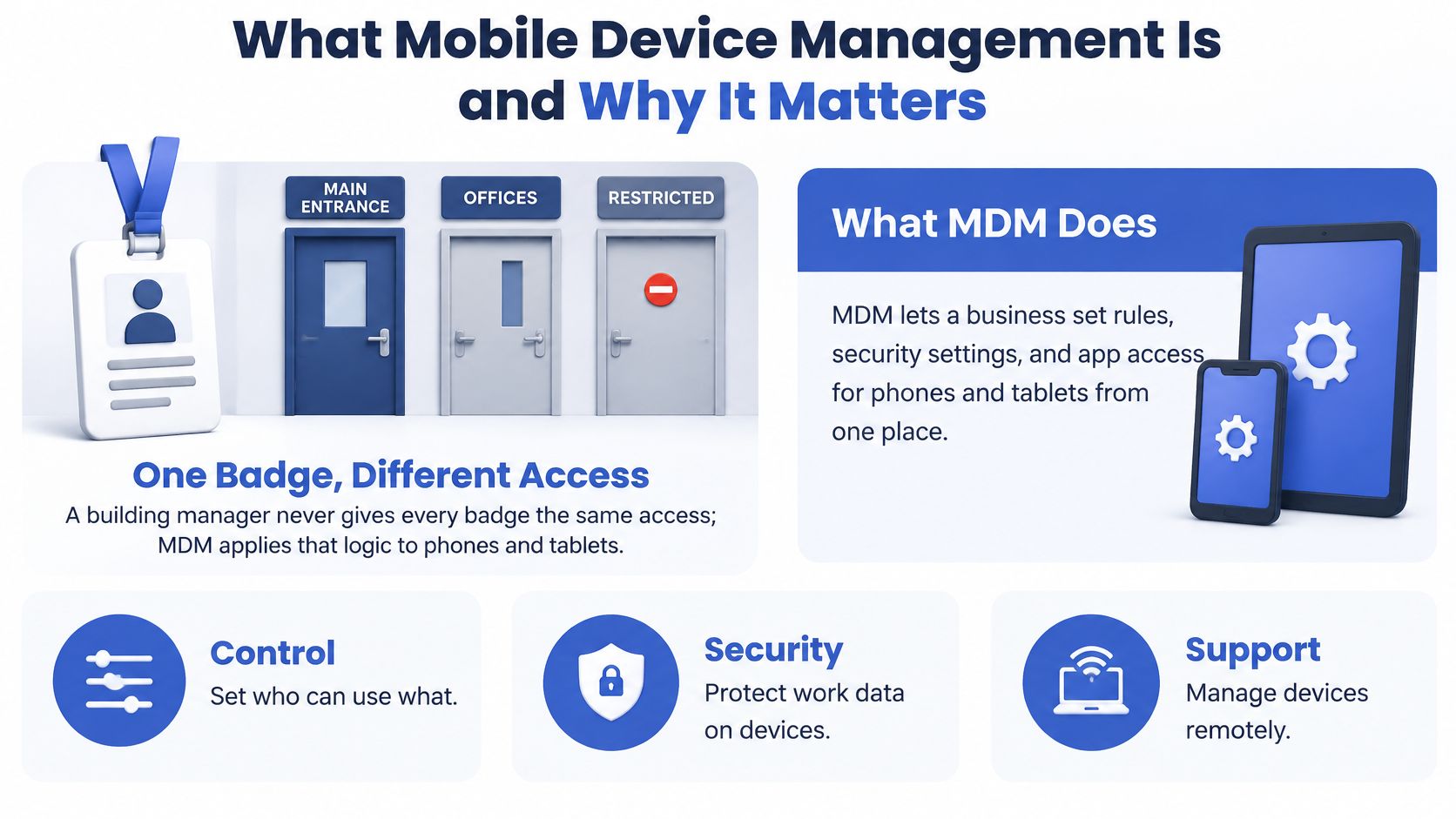
What Mobile Device Management Is and Why It Matters
A building manager never gives every badge the same access. One badge opens the lobby, another opens a records room, and a lost badge gets shut off without changing every lock. Mobile device management (MDM) applies that same logic to phones and tablets.
In plain terms, MDM is software that enrolls each device, sets security rules from one console, controls which apps can reach work data, pushes updates, and can lock or erase business data remotely. The owner doesn't need to chase each phone across the office to check a setting.
Three Device Situations to Handle
Most small businesses meet three cases at once. There's the company-owned phone handed to a field tech, the personal phone used for work by an office manager, and the shared tablet at a front desk or job site. Each one needs different control, because the company owns the first, shares responsibility for the second, and can't tie the third to one person.
Say a delivery driver loses a company phone with customer addresses on it. With MDM, an administrator locks it from a laptop, checks whether encryption was on, and removes the work data. Without MDM, the team changes passwords, hopes the phone had a passcode, and waits.
That gap between use and protection isn't new. The 2012 NYU Poly and AT&T survey found 90% of small businesses allowed employees to access work email through mobile devices, yet only 32% reported taking security measures to protect smartphones, compared with 82% that had secured company laptops.
The concern has only grown since then. Verizon's 2021 Mobile Security Index SMB research found 22% of small and midsize business respondents knew their organization had experienced a mobile-device compromise during the preceding year, and 88% were concerned about mobile-device threats.
MDM is not an inventory list. It's a continuity control that determines whether a lost or compromised phone becomes a contained incident or a day of downtime, password resets, and exposed data.
The practical question comes first. Which phones and tablets can reach email, files, accounting, or customer records today, and who can prove what rules those devices follow? Owners who can't answer that don't have a device list. They have an open door with no badge reader.
Next step: Write down every device type that reaches work systems this week, including personal phones. That list becomes the enrollment list, not an optional extras list.
Core MDM Features and What Each One Prevents
MDM features work as a set. Enrollment without update rules leaves known holes open. Remote wipe without compliance reports leaves the team guessing which phones are protected. The table below ties each feature to the problem it stops.
| Feature | What it does | Problem it prevents | Small-business example |
|---|---|---|---|
| Enrollment | Registers each device before it can reach business apps | Unknown devices reaching email | New hire's phone enrolled before first login |
| Policy enforcement | Requires passcode, encryption and auto-lock | Lost phone exposing data | Unique PIN with auto-lock after five minutes |
| App control | Allows approved apps and blocks others | Malicious or unvetted apps | Only approved store apps can access company files |
| Update management | Reports OS versions and flags laggards | Known vulnerabilities left open | Critical patch required within seven days |
| Remote lock and selective wipe | Locks or removes business data from the console | Stolen device data | Field phone wiped of company data after theft |
| Compliance reporting | Shows which devices fall out of policy | Hidden noncompliance | Weekly report of stale or unpatched devices |
| Jailbreak and root detection | Flags altered devices | Bypassed encryption and app isolation | Rooted phone blocked from email until restored |
Enrollment is the gate. A phone that isn't registered doesn't get business apps, in the same way an unbadged visitor doesn't get a key. Policy enforcement then applies the basics without asking each person to remember them, so a field phone locks after five minutes whether the user meant to set it or not.
App control and update management handle the slower risks. Approved store apps reduce the chance of a fake file viewer reading company documents. A seven-day deadline for a critical patch, used here as a working example, turns a vague reminder into a rule with a consequence.
Why Automation Matters When Staff Are Thin
CISA's mobile-device checklist recommends enabling automatic MDM updates so security fixes are applied as soon as they become available, and NIST guidance cited there supports remote locking and remote wiping when a lost or stolen device creates a data risk. The MDM service checks device state against policy, reports devices that fall short, and can revoke access without the phone in hand.
That same guidance supports flagging jailbroken or rooted devices, because altered system protections can undermine encryption, app separation, and policy enforcement. A rooted phone isn't a preference issue. It's a phone whose locks may not work as designed.
Test rule: A feature that has never been tested is a hope, not a control.
Run a sample remote lock, selective wipe, and offboarding during setup, then repeat the drill each quarter. A ten-minute test on a spare phone beats learning during a theft that the wipe command needs a setting nobody enabled.
Security, Privacy and BYOD Rules to Write First
The actual choice isn't allow or ban. Staff already check work messages on personal phones, often before any policy exists. Pretending otherwise doesn't stop the practice. It only stops the business from governing it.
Verizon's 2025 Mobile Security Index found BYOD was a regular occurrence for roughly four in five IT workers, while only 52% said their organizations explicitly permitted it, and among organizations that formally prohibited BYOD, just 22% reported that employees complied. A ban that people ignore creates the worst mix, which is personal devices with business data and no controls.

| Model | What the company controls | Employee privacy | Best fit | Watch-out |
|---|---|---|---|---|
| Corporate-owned, fully managed | Entire device | Low; personal use restricted | Field staff needing full control | Higher hardware and service cost |
| Company-owned, personal use allowed | Entire device under policy | Medium | Staff who carry one phone for work and life | Policy must define what is visible |
| Work profile on a personal phone | Business container only | High | Staff using their own phone for email and calendar | Personal apps stay outside control |
| Managed apps only | Work apps and their data | High | Email and document access only | Does not protect the rest of the phone |
| No personal-device access | Nothing on personal devices | Full | Highest-risk data and systems | Staff may bypass the rule without a clear fallback |
Rules That Make Any Model Work
NIST's mobile device guidance recommends treating mobile devices as untrusted until the organization secures them and continuously monitors their security while they access business applications or data. Knowing a password isn't enough. The device also needs a screen lock, encryption, a current operating system, and approved applications before access opens.
NIST's telework guidance gives a concrete target, stating mobile security updates should be installed at least weekly, and preferably daily, when updates are available. Turn that into a service rule. Flag devices that miss the deadline, and block email or cloud files until they're patched. Add simple habits too, such as turning off Bluetooth or NFC when not needed and avoiding unknown charging stations.
Privacy needs plain language, not fine print. Staff should know what administrators can see, whether personal photos stay untouched, and what gets removed at departure. A work profile or managed app container helps because the business removes its own data without erasing family pictures. Owners building that document can compare their draft against mobile security policies for small businesses and against practical guidance on mobile device security basics before asking anyone to enroll.
Written Policy Checklist
- Who may connect: Name roles, device types, and any systems that stay off personal phones.
- Consent and visibility: State what administrators can view and what they cannot.
- Costs: Say who pays for service, replacement, and support.
- Offboarding: Remove only business data from personal phones, and do it on the last day.
- Exceptions: Give one approval path with an expiry date, not informal favors.
- No-access fallback: Noncompliant devices don't reach work systems until they pass.
Staff accept controls they understand. They work around controls that feel like surveillance with no clear boundary.
Next step: Draft the one-page consent and offboarding rules before enrolling the first personal phone. Enrolling first and explaining later is how trust gets lost.
Choosing Cloud, On-Premises or Co-Managed Deployment
Start with staffing, not software. Three questions sort most small businesses quickly. Does someone have time each week to review alerts and exceptions? Must management data stay on premises for legal or contract reasons? Does the business need coverage outside office hours?

Cloud MDM uses a vendor-hosted console, usually billed per device, with the vendor handling platform updates. A small office can start enrolling within days because there's no server to build. The trade-off is dependence on the vendor's console, data handling, and renewal terms.
On-premises MDM runs on servers the business owns. Management data stays on site, which suits regulated work or strict client contracts. The cost is real work before the first phone enrolls, including hardware, licenses, patching, backups, and staff time when the console itself breaks.
Co-managed MDM splits the job. Internal staff keep daily approvals and user contact, while a provider covers monitoring, after-hours alerts, and policy design. That split only works when each duty has a named owner in writing. Businesses weighing that split can review how co-managed IT support divides responsibilities before signing anything.
One Example, Two Different Answers
Say a 15-person accounting firm has one part-time administrator. Cloud MDM with provider alert coverage fits because tax-season nights don't leave time for server care. A clinic with strict data-residency rules may choose on-premises instead, even at higher effort, because the contract leaves no choice. Neither answer is universally better. Each matches a constraint.
The deployment model also decides who runs the layers around MDM. NIST's BYOD practice guide describes a design combining enterprise mobility management, mobile threat defense, application vetting, a trusted execution environment, and VPN services, and explains that combining a device certificate with user credentials creates two-factor authentication from mobile devices.
Decision rule: Choose the model the team can actually operate on a busy Tuesday, not the model that looks strongest in a demo.
Next step: Answer the three staffing and data questions in writing, then ask vendors to quote against those answers. Quotes that ignore who reviews alerts at 9 p.m. aren't complete quotes.
How to Roll Out MDM in Seven Steps
Rollout works as a sequence where each step gates the next. Enrolling phones before rules exist creates rework. Skipping the pilot turns the whole staff into the test group.
NIST SP 800-124 Rev. 2 recommends performing a threat analysis covering devices, users, networks, applications, and business systems, then piloting the selected solution before production deployment. That order matters because policy built on guesses rarely survives contact with field staff, shared tablets, and older phones.

- Run a threat analysis. List devices, users, networks, apps, and systems each phone reaches, from email to job photos to accounting. The common slip is listing only company phones and missing the personal phone that already opens shared files.
- Define ownership and minimum settings. Set supported operating-system versions, passcode rules, encryption, and which ownership model applies to each role. Buying licenses before this step often means paying for features that don't match the fleet.
- Pick the deployment model and assign owners. Document who approves exceptions, who reviews reports, and who acts after hours. A console with no named reviewer becomes a dashboard nobody opens.
- Pilot with a small mixed group. Include field, office, and management roles, plus at least one older phone. Log every enrollment snag, confusing prompt, and app conflict while the group is small enough to fix them calmly.
- Secure company devices before user access. Fully configure organization-issued phones before handing them over. For personal phones, enroll only after consent and a security review, with business data kept separate from private content.
- Migrate in waves and train each group. Move one team at a time, show staff exactly what enrollment changes, and keep one help channel open for lockouts. The common slip is a single company-wide launch day that floods support and teaches people to dread the tool.
- Drill loss and departure, then review reports. Test remote lock, selective wipe, and offboarding on a spare device. Review the first monthly compliance report and close every stale or unpatched exception with a name and date.
Worked Example
Say a 40-person engineering office pilots with eight devices, covering a survey crew, two project managers, and the front desk tablet. The pilot catches a photo app that can't save into the work profile and one phone too old for the minimum operating system. Fixing those two issues for eight people takes an afternoon. Finding them across forty people would take a week of tickets.
The pilot is not a delay. It's the cheapest place to discover that a rule breaks real work.
Next step: Pick the pilot group this week and set a go or no-go date. A rollout without a date drifts until a lost phone forces rushed decisions.
Costs, Licensing and Pitfalls That Waste Budget
Quotes rarely show the full bill. The per-device price is visible, while setup time, add-ons, exception handling, and exit terms hide below it. A budget built only on the license line will look tidy and prove wrong.
| Cost factor | What drives it | How to estimate | Common trap |
|---|---|---|---|
| Per-device licensing | Enrolled device count and feature tier | Devices multiplied by monthly rate from quotes | Low tiers missing app or threat features |
| Setup and policy design | Number of policies and system integrations | Fixed quote or hours multiplied by rate | Undocumented policies that need rework |
| Mobile threat defense add-on | Phishing and risky-app coverage | Per-device quote | Assumed to be included in base MDM |
| Staff or provider time | Monitoring, tickets and exceptions | Hours per month multiplied by rate | Reviews skipped when the team is stretched |
| Hardware and cellular service | Company-owned devices and data plans | Device cost plus monthly plan | Unclear who pays for BYOD service |
| Replacement and offboarding | Lost devices and departing staff | Annual incident count multiplied by cost | Delayed wipes leaving data exposed |
| Contract terms | Length, renewal and data-export rights | Read the term sheet before signing | Lock-in with no clean exit |
Use clear assumptions, then replace them with quotes. For example, a hypothetical 25-device fleet at an assumed 8 dollars per device per month costs 200 dollars a month in licensing, plus an assumed 1,500 dollar one-time policy setup and four hours of monthly staff time for exceptions and reports. Compare that total with one lost phone, one emergency wipe, and one day of disrupted access. Owners who want that comparison inside a wider plan can use structured IT budget planning rather than treating MDM as a lone purchase.
The Costliest Misconception
Buying MDM does not equal buying mobile security. Verizon's 2025 Mobile Security Index reports 85% of surveyed organizations saw mobile attacks increasing, while 70% of attacked mobile devices were personal rather than company-issued, and the independent threat data it cites found phishing encounter rates of 12.63% on MDM-managed devices versus 13.61% on unmanaged devices. MDM lowers exposure. It doesn't stop a convincing text message from reaching a tired employee.
- No identity or email controls: Strong sign-in protection and mail filtering must sit beside device rules.
- No offboarding process: A departing employee keeps access because nobody owns removal.
- Ignored exceptions: Temporary exemptions become permanent holes.
- No export path: Leaving the vendor means rebuilding policies from screenshots.
Measure what remains after MDM, not what the sales page promises.
Map each threat to a control, an owner, and a measurable outcome. Track enrollment coverage, encryption compliance, stale-device count, risky-app detections, phishing reports, and time to revoke access. Those numbers show whether spending reduced risk or only produced a console login.
Next step: Rebuild one vendor quote using every row in the table. Any row priced at zero needs a written reason, not an assumption.
How to Choose an MDM Provider and Take the Next Step
Choosing an MDM provider is a staffing decision. Every console on the market can push a passcode policy and locate a lost phone. What separates providers is who watches compliance drift, who answers when a wipe command misfires on a personal device, and who owns the weekly work of keeping enrollment, exceptions and reporting current. MDM shrinks the attack surface through containment, and the residue that remains is what you are paying a provider to measure and enforce.
Nutmeg Technologies offers support options ranging from occasional technical assistance on projects to fully outsourced IT, and its Managed Services deliver proactive IT management and support matched to each customer's needs. Score every candidate, including Nutmeg Technologies, against the same scorecard.
| Criterion | Question to ask | Strong answer | Red flag |
|---|---|---|---|
| Device scope | Do you manage iOS, Android and BYOD work profiles? | Yes, with documented ownership models for each | Corporate devices only |
| Alert ownership | Who responds to a compliance alert after hours? | Named coverage hours and an escalation path | Alerts sent by email with no owner |
| Security stack | Do you include threat defense and app vetting? | Documented layers, priced separately when needed | Device enrollment and nothing else |
| Exit terms | How do we export policies and device data at renewal? | Written export path and a short renewal term | Auto-renewal with no export option |
| Staffing fit | Can you scale from project help to fully outsourced IT? | An engagement model that changes as needs change | One fixed contract for every business size |
| Reporting | Can we see a sample monthly compliance report? | A real sample, in plain language, before signing | A promise to build reports after go-live |
Ask for two documents before any signature. The first is a sample compliance report with device names removed, showing stale devices, patch status and open exceptions in language an owner can read. The second is a pilot plan naming the test group, the success measures, the rollback steps, and who handles a failed enrollment at each stage. Both should arrive before the signature, not after.
Pay attention to how candidates handle personal phones. Selective wipe is the question that exposes them: it removes only the work profile and business data, leaving photos and personal apps untouched, and the provider should be able to say that in plain words to a nervous employee. A provider who fumbles that explanation will fumble the BYOD policy your staff have to accept.
The wipe boundary on a personal phone is where BYOD policy lives or dies. If a provider cannot describe it plainly, they cannot enforce it.
Practical Shortlist Method
Shortlist three providers, score each against the six rows above, and run a pilot on five to ten phones spanning office and field roles. Include one shared device if the business uses one, because shared tablets expose weak sign-in rules fast. Judge the pilot on evidence: clean enrollments, readable reports, a successful test wipe inside the work profile. Reject the candidate whose pilot produces a slide deck instead of those results.
Next step: Send the scorecard to three providers this week and require the sample compliance report with the reply. A candidate who cannot produce one before the sale will not produce managed reporting after it.
When you are ready to talk through options, contact Nutmeg Technologies to discuss whether occasional technical help on a project or fully outsourced IT fits your team's size and needs, and ask for a sample compliance report before committing.


