One compromised inbox can disrupt the whole organization. A convincing message from an executive may request an urgent payment, a vendor may ask for updated bank details, a school administrator may send a credential link, or a donor-facing employee may receive a sensitive attachment that looks routine. The recipient acts quickly, and the attacker gains access to money, systems, confidential information, or trusted relationships.
Phishing remains one of the most important email-security risks because it's both common and costly. The UK government's 2025 Cyber Security Breaches Survey found that phishing affected 93% of businesses and 95% of charities that experienced cyber crime, while it was the most disruptive breach type for 65% of businesses and 63% of charities that experienced one. Effective email security therefore combines identity controls, sender verification, message protection, user behavior, governance, recovery, and monitoring.
The following 10 email security best practices move from foundational protection to operational maturity. The examples apply to schools, nonprofits, manufacturers, faith-based organizations, healthcare-adjacent groups, and multi-site teams. Organizations without dedicated security capacity can also use managed IT support, such as Nutmeg Technologies, for proactive oversight, implementation assistance, monitoring, and strategic guidance.
1. Enable Multi-Factor Authentication for Email Accounts
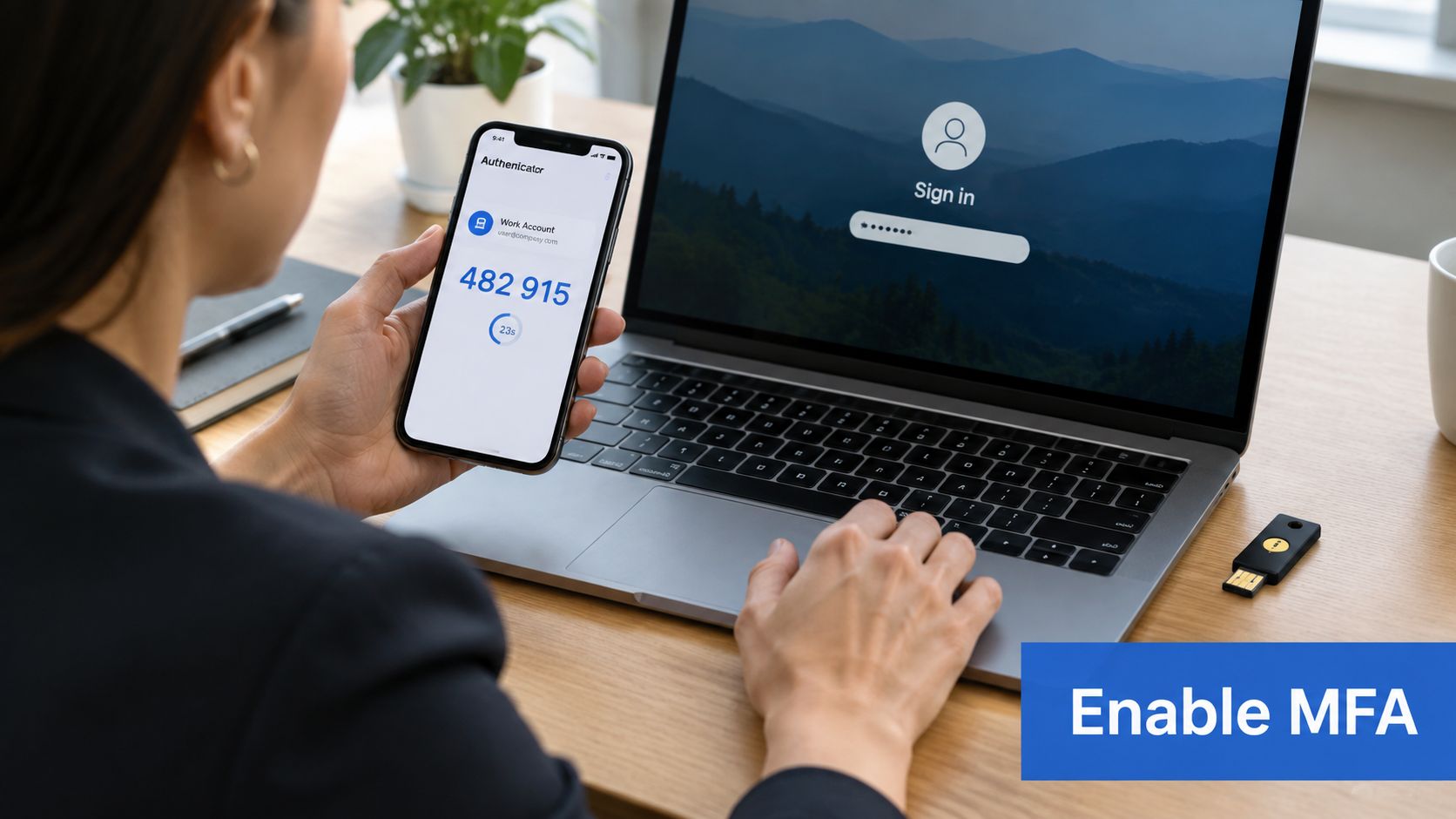
A password alone leaves an inbox exposed, even when it contains payment requests, contracts, student records, donor information, or internal conversations. Multi-factor authentication, or MFA, adds a second proof of identity after the password, such as an authenticator-app approval, one-time code, biometric check, or hardware security key.
NIST recommends MFA for email and phishing-resistant authentication where possible in its small-business phishing guidance. For a manufacturer with several locations, this control protects equipment specifications and vendor communications when employees sign in from different offices or devices. A school can apply the same approach to faculty communication and student information.
Roll out MFA by risk
Start with administrators, executives, finance staff, and users who access shared mailboxes or payment workflows. Then cover every employee, including remote workers and staff who use mobile email. This sequence reduces exposure quickly while IT prepares support for broader enrollment.
Authenticator apps such as Microsoft Authenticator and Google Authenticator are practical starting points. The rollout also needs operating procedures:
- Prepare recovery options: Store backup codes securely, and verify recovery phone numbers and email addresses during onboarding.
- Teach approval discipline: Employees must never share MFA codes or approve an unexpected sign-in request.
- Use conditional access: Require additional verification for unfamiliar locations, devices, or sign-in patterns.
- Plan for lost devices: Document how IT revokes an old device and restores access without bypassing security.
A senior employee's convenience should not create an MFA exception. Executives, administrators, and finance users often control the organization's most valuable workflows.
Organizations can review rollout design and user guidance through MFA best practices for stronger security. If staff cannot enforce MFA consistently across Microsoft 365, Google Workspace, mobile devices, and multiple sites, managed implementation is safer than informal troubleshooting. Nutmeg Technologies can provide implementation assistance and ongoing support when internal IT capacity is limited.
2. Secure Email Accounts Against Account Takeover
A compromised mailbox can become an attacker's operating base. The intruder may read conversations, create forwarding rules, impersonate the account owner, target contacts, or search for invoices and credentials. A faith-based organization could see a compromised fundraising director send fraudulent donation requests to major donors, while a school administrator's account might expose sensitive records or permit unauthorized changes.
Employees can review common phishing scams guide to recognize common entry points. Account protection must continue after a password is exposed, with identity settings, mailbox permissions, and activity reviewed as one operating process.
Detect misuse, then contain it
Start by defining which sign-in and mailbox events require action. Repeated failures, unfamiliar countries, unusual hours, unexpected password changes, concurrent sessions, and new forwarding rules can indicate misuse. Assign an owner to review these alerts, document the threshold for escalation, and verify recovery email addresses and phone numbers during onboarding and role changes.
A practical control sequence is:
- Separate administration from daily email: IT staff should use distinct administrative accounts instead of browsing email with sensitive privileges.
- Audit privileges: Remove unnecessary administrator, delegation, and shared-mailbox access after role changes.
- Protect forwarding settings: Restrict automatic forwarding to external addresses and review exceptions.
- Use SSO carefully: Single sign-on can simplify credential management when identity policies remain centrally controlled.
- Prepare containment steps: Document password resets, session revocation, mailbox investigation, and notifications to affected contacts.
The quick win is disabling unused forwarding and delegated access, then reviewing privileged accounts. The common pitfall is treating a clean password reset as a complete response while attacker-created rules or active sessions remain.
For a small organization without a large internal IT team, managed support can handle identity settings, risky sign-ins, recovery methods, and mailbox rules. Escalate after a suspected compromise, unexplained forwarding change, or sign-in the internal team cannot verify.
3. Establish Strong Email Authentication Protocols
A supplier receives a convincing invoice from your finance director's address, yet the message came from an unauthorized server. SPF, DKIM, and DMARC reduce that risk by protecting the organization's domain identity. SPF lists approved sending services. DKIM attaches a signature that receiving systems can use to verify message integrity. DMARC connects those checks to a policy for handling failed messages and produces reports about authentication activity.
NIST's Trustworthy Email guidance explains how the protocols work together. Phishing pressure remains high, with 1,003,924 phishing attacks in Q1 2025, the largest quarterly count since late 2023, according to the phishing trends report.
Make authentication an operating process
Publishing a DMARC record in monitoring mode is only the starting point. EasyDMARC's 2026 DMARC adoption report found that 52.1% of the top 1.8 million domains had valid DMARC records in early 2026, while only 411,935 domains used quarantine or reject policies. Reports can reveal abuse without stopping spoofed mail, so someone must review them and own the change process.
Start by inventorying Microsoft 365, Google Workspace, marketing platforms, ticketing systems, donation tools, payroll services, and other third-party senders. Then validate SPF and DKIM for each legitimate service, correct alignment issues, and keep a record of DNS changes and vendor ownership. Use monitoring reports to find missing senders before moving to quarantine, then reject, after legitimate traffic is accounted for.
A nonprofit using several fundraising platforms may need more coordination than a single-site office. The quick win is documenting every approved sender and assigning one owner for DNS and DMARC changes. A common pitfall is adding vendors indefinitely until SPF becomes unwieldy or a legitimate service fails authentication.
For organizations that need help interpreting reports or managing DNS, email security solutions can provide ongoing support. Escalate when reports are unclear, a business-critical sender may be blocked, or the internal team cannot maintain enforcement safely.

4. Deploy Advanced Threat Protection and Phishing Detection
A supplier invoice can look routine while redirecting payment to a criminal. A trusted mailbox can send a convincing request without containing an attachment. Advanced threat protection adds detection before and after delivery by examining sender behavior, links, attachments, message context, and other signals.
Start with the organization's highest-risk workflows. A manufacturing company should prioritize proprietary designs, supplier invoices, and payment changes. A school may focus on credential-harvesting messages aimed at staff. A nonprofit can tune detection for donation requests and invoice fraud. These examples make the first review practical instead of treating every alert as equally urgent.
The quick win is to enable quarantine and give users a clear reporting method. Keep uncertain messages out of inboxes, review quarantine activity, and use those findings to adjust policies. Link scanning should continue at click time because a destination can change after delivery.
A workable rollout looks like this:
- Turn on sender authentication checks: SPF, DKIM, and DMARC establish the identity signals used by other controls.
- Set attachment and link policies: Apply stricter handling to executable files, unusual archives, and high-risk destinations.
- Review quarantine weekly: Check false positives, recurring campaigns, and missed detections.
- Route high-risk alerts to IT: Assign an owner who can investigate, contain accounts, and preserve evidence.
- Test with realistic simulations: Use the organization's vendors, payment processes, and user roles.
Barracuda's 2026 Email Threats Report discusses layered controls, time-of-click URL analysis, MFA, risky-sign-in monitoring, and automated response. A small IT team should use managed support when it cannot review alerts, tune quarantine rules, and investigate reported messages consistently.
5. Provide Ongoing Email Security Awareness Training
A payment-change request can look normal and still bypass the organization's approval process. Employees must recognize urgency, unusual wording, suspicious links, unexpected attachments, and requests that avoid established checks. Training gives people a decision path when filters cannot judge business context.
Use examples drawn from actual roles. Procurement staff at a manufacturing plant can practice invoice-fraud scenarios. Fundraisers can review donor-impersonation messages. School staff can identify credential-harvesting attempts that resemble education platforms. Keep the examples tied to the systems, vendors, and approval routines employees use each day.
Build reporting into daily work
Annual orientation does not create a durable habit by itself. Run short refreshers, realistic simulations, quick-reference guides, and immediate coaching as one operating routine. Employees should receive useful feedback after a mistake and understand that reporting an uncertain message helps improve protection.
- Use role-based examples: Finance, engineering, administration, and leadership face different requests.
- Practice verification: Confirm payment changes through a known phone number or separate communication channel.
- Make reporting simple: A built-in report button is more useful than a complicated ticket process.
- Coach immediately: A simulated click should prompt concise guidance about the warning signs.
- Update scenarios: Match exercises to current threats and business workflows.
A multi-site organization can keep one core program while adapting examples for remote staff, public networks, and local office procedures. Track participation, simulation results, reports, and remedial coaching so managers can see where habits need work. The quick win is a clear reporting button paired with a short verification rule. Escalate to managed IT support when internal managers cannot maintain the program, review outcomes, or provide consistent coaching. A provider can run the routine without turning training into punishment.
6. Implement Email Access Controls and Least Privilege
Email permissions should match each person's current role. Review access to shared mailboxes, delegation, distribution lists, administrative settings, forwarding rules, and sensitive mail from personal or unmanaged devices. A compromised account with limited permissions gives an attacker fewer places to go.
Start with the highest-risk accounts and mailboxes. A school might restrict student-record and grade-related mailboxes to designated staff. A manufacturer could separate executive pricing discussions from engineering correspondence. A nonprofit may keep donor records apart from general communications, while a multi-site company can limit access by location and job responsibility.
Tie permissions to role changes
Access control weakens when permissions survive a promotion, transfer, contractor engagement, or departure. Connect access changes to onboarding and offboarding, with a named approver and a record of completion. This turns routine administration into a repeatable control rather than a cleanup task.
Use these decisions as the baseline:
- Separate administrator identities: Routine email work should use a standard account, not a privileged one.
- Limit shared mailboxes: Specify who may read, send, or manage each mailbox.
- Expire temporary access: Set an end date for exceptions.
- Require approval for privileged rights: Just-in-time access reduces standing permissions.
- Restrict unmanaged devices: Define which devices may reach sensitive mail and what happens when compliance changes.
- Document break-glass access: Emergency permissions should be controlled, recorded, and reviewed afterward.
Review individual permissions quarterly and shared-mailbox activity monthly. The quick win is a current mailbox ownership list with an approver for each entry. Escalate when role changes still depend on manual reminders, especially across multiple offices. Managed IT support can connect identity administration with documented approval, removal, device, and review workflows.
7. Implement Data Loss Prevention Policies
Outgoing email needs its own safeguards. Data loss prevention, or DLP, checks messages and attachments for payment-card data, personal identifiers, health information, student records, customer lists, proprietary formulas, and confidential files before delivery.
Start with the information your organization handles. A manufacturer may focus on CAD files, specifications, and pricing. A school may protect grades and student health records. A healthcare-adjacent organization may apply tighter rules to health information, while a financial nonprofit may restrict donor banking details and transfer instructions.
Tune controls before enforcing them
Set new policies to audit activity first. Review the matches, remove noisy rules, then add warnings, encryption, approval, or blocking according to risk. This sequence preserves business flow while showing where sensitive data leaves the organization.
- Use built-in templates: Begin with patterns for payment data, health information, and personal identifiers.
- Add organizational patterns: Include project codenames, customer formats, and proprietary document types.
- Review logs weekly: Investigate false positives and refine detection rules.
- Offer approved exceptions: Give employees a manager-approved route for legitimate transfers.
- Pair DLP with classification: Sensitivity labels clarify how people and systems should handle each file.
A quick win is an audit report showing which rules matched, who owns each rule, and what action follows. DLP ownership should include IT, security, compliance, and business leaders. Escalate when exceptions become routine, users cannot explain blocked messages, or no one can identify the data requiring protection. Managed IT support can maintain policies and review alerts when internal teams lack time or specialist coverage.
8. Implement Email Encryption for Sensitive Communications
A confidential payroll file sent to the wrong address remains exposed even when the connection is encrypted. Transport encryption protects messages while they move between systems. End-to-end encryption keeps content protected until the intended recipient opens it. Choose the method based on the data, recipient, platform, and exchange process.
A school may encrypt grades, attendance records, and sensitive parent communication. An engineering company may protect technical drawings, supplier contracts, and pricing. A faith-based organization may need to protect member details, while a multi-site employer may encrypt HR and payroll information.
Start by mapping where sensitive messages originate, who receives them, and how recipients access them. Then define rules for categories, recipients, keywords, and document types that trigger protection. HR, finance, legal, student records, and health information may warrant automatic encryption. Less sensitive cases can use a user-selected option.
A workable rollout includes:
- Define protected content: Document which data types require encryption and who owns the rules.
- Automate common cases: Apply policies to sensitive departments and recurring recipients.
- Train manual handling: Show employees how to protect unusual but confidential messages.
- Test external delivery: Confirm partners can open protected messages without unsafe workarounds.
- Combine encryption with DLP: Encryption protects content, while DLP helps determine whether it should leave.
- Document exceptions: Specify when an approved secure portal must replace email.
The quick win is an enforced rule for one high-risk workflow, such as payroll or legal correspondence. Review delivery failures and user workarounds before expanding coverage. Escalate if recipients forward passwords through ordinary email or save protected files in unapproved locations. Managed IT support can maintain policies and test partner access when internal staff cannot reliably own the workflow.
9. Maintain Regular Email Backups and Archiving
Archive and backup serve different operating needs. An archive keeps business records searchable for daily work, audits, and retention requirements. A backup supplies an independent recovery path after accidental deletion, corruption, malware encryption, provider failure, or an account incident.
A manufacturer may need supplier correspondence, contracts, and technical exchanges. A school may require recoverable operational records. A nonprofit may preserve grant and donor messages, while a multi-site healthcare-adjacent organization may need centralized records across locations.
Make recovery a tested routine
Start by defining what must be retained, where copies will be stored, and who owns restoration. Keep backup storage separate from the primary email provider, restrict administrative access, encrypt stored copies, and record the validation steps for a restored mailbox.
A practical sequence is:
- Set retention rules: Assign retention periods to business, legal, and operational categories.
- Automate archiving: Apply age, mailbox, and classification rules instead of relying on employee filing.
- Test restoration: Restore representative mailboxes and messages on a planned schedule, then verify their completeness and usability.
- Protect the backup system: Limit administration and monitor access to stored copies.
- Document recovery targets: Define the response for accidental deletion, compromised accounts, and broader outages.
- Include continuity planning: Exercise email recovery alongside disaster recovery and business continuity procedures.
The quick win is a scheduled restoration test for one representative mailbox. Record how long it takes, what permissions are needed, and whether users can find the recovered messages.
Escalate when no one can explain what the backup covers, where it is stored, or how recovery will be validated. Managed IT support can run restoration tests, maintain retention documentation, and handle the system when internal staff cannot reliably own it.
10. Monitor Email Security Logs and Implement Alert Systems
Prevention doesn't eliminate the need to watch what happens. Email logs can reveal unusual sign-ins, forwarding-rule changes, bulk sending, malware delivery, external attachment activity, and policy violations. Automated alerts surface urgent events, while human review provides the context needed to distinguish a legitimate event from an account compromise.
A school may detect an administrator signing in from an unusual location. A nonprofit may notice a sudden malware campaign aimed at staff. A manufacturer may identify suspicious access to customer communications, while a multi-site business may find unusual outbound transfers.
Build a response loop
Start with high-priority alerts rather than enabling every notification. Too much noise causes important warnings to be ignored. Security staff should define normal sending and login patterns, review logs regularly, and maintain a runbook for each alert category.
- Alert on risky authentication: Repeated failures, unusual locations, and off-hours access deserve review.
- Watch external attachments: Sensitive files sent outside the organization may require investigation.
- Track policy violations: DLP, encryption, and filtering blocks can expose process weaknesses.
- Connect monitoring tools: Centralized visibility helps correlate mailbox, identity, and endpoint activity.
- Document response steps: The runbook should identify who investigates, who contains, and who communicates.
- Check domain reputation: A blacklist checker can support troubleshooting when legitimate messages stop reaching recipients.
The escalation point is straightforward. If internal staff can't provide consistent monitoring, alert tuning, and incident response coverage, a managed security service or managed IT partner is more practical than leaving alerts unattended.
11. Reinforce Threat Detection With Reporting and Response
A reported message should start an owned process, not end with an employee clicking “report.” Define who triages it, who can contain an account, who informs affected users, and how quickly each priority receives attention. A manufacturer facing payment-diversion attempts may route high-risk reports to IT and finance, while a school may assign identity containment to its administrator.
Set a practical response target for urgent reports, then document the handoffs. The reporting button should preserve the original message and confirm receipt. Triage should record the sender, domain, subject, link, or attachment so responders can determine whether the same campaign reached other users.
Use the operating loop below:
- Assign ownership: Name the person or team responsible for investigation and containment.
- Rank business impact: Payment changes and credential requests deserve attention even when no malware is present.
- Contain confirmed compromise: Revoke sessions, reset credentials, and review access when an account may be controlled by an attacker.
- Communicate clearly: Tell affected employees what happened and what action they must take.
- Improve controls: Convert confirmed patterns into detection-rule updates, targeted training, and revised procedures.
- Review performance: Track missed handoffs, delayed triage, and repeat reports during regular security reviews.
A nonprofit handling donation fraud should test whether finance and IT can coordinate without waiting for a general inbox response. A distributed organization should also decide who can act outside normal office hours.
The quick win is one reporting route and a short runbook. The escalation point is ownership capacity. If staff cannot provide consistent triage, containment, and follow-up, managed IT support can maintain the workflow and connect reported incidents to identity, detection, and training processes.
11-Point Email Security Comparison
| Email Security Measure | Implementation complexity | Resource requirements | Expected outcomes | Ideal use cases | Key advantages |
|---|---|---|---|---|---|
| Enable Multi-Factor Authentication (MFA) for Email Accounts | Low–Medium, deployment and user enrollment | Minimal–Moderate, authenticator apps, optional hardware keys, support time | Strong reduction in account takeovers; immediate access control improvement | Remote/distributed teams, admin and privileged accounts, regulated orgs | Blocks most account takeovers; compliance support; cross-platform |
| Secure Email Accounts Against Account Takeover | Medium, policies, monitoring, recovery workflows | Moderate, identity tools, monitoring, user education | Fewer compromised accounts; reduced lateral movement and fraud | Finance, executives, IT admins, organizations at risk of BEC | Prevents impersonation and fraud; reduces ransomware and breach impact |
| Establish Strong Email Authentication Protocols (SPF, DKIM, DMARC) | Medium, DNS configuration and coordination across senders | Low, DNS changes and occasional maintenance | Prevents domain spoofing; improved deliverability and visibility | Customer-facing domains, multi-vendor mailing environments | Stops spoofing, free beyond setup time, provides reporting for senders |
| Deploy Advanced Threat Protection and Phishing Detection | Medium–High, integration, tuning, sandboxing | High, licenses, compute, ongoing admin tuning | Blocks malware/phishing in near real-time; reduces incidents | Large orgs, sectors targeted by phishing (healthcare, finance) | ML-based detection, sandboxing, URL protection, analytics |
| Provide Ongoing Email Security Awareness Training | Low–Medium, program design and continuous delivery | Low–Moderate, training platform, time for simulations | Reduced human-driven incidents; sustained behavior change | All staff, especially finance, HR, customer-facing teams | Addresses human factor cost‑effectively; measurable reduction in phishing success |
| Implement Email Access Controls and Least Privilege | Medium, role design and RBAC implementation | Moderate, IAM tools, admin overhead, periodic reviews | Limits blast radius of compromises; better auditability | Organizations handling sensitive communications, shared mailboxes | Minimizes insider risk; enforces separation of duties and audit trails |
| Implement Data Loss Prevention (DLP) Policies | Medium–High, data classification and policy tuning | Moderate–High, DLP tooling, ongoing rule management | Prevents accidental/intended data exfiltration; compliance support | Regulated industries (health, finance, education), IP-heavy orgs | Blocks sensitive data leaks; supports audits and approval workflows |
| Implement Email Encryption for Sensitive Communications | Medium, policy, key management, recipient handling | Low–Moderate, encryption tools, portals, key management | Confidentiality of messages in transit/rest; compliance alignment | Sending PHI/PII, legal/financial communications, external partners | Ensures message privacy; reduces interception and misdelivery risk |
| Maintain Regular Email Backups and Archiving | Medium, backup strategy and retention policies | Moderate, backup storage, tooling, maintenance | Recoverability from deletion/ransomware; e‑discovery and retention compliance | Organizations needing legal retention, business continuity | Enables fast recovery and legal discovery; protects against data loss |
| Monitor Email Security Logs and Implement Alert Systems | Medium–High, SIEM/UEBA integration and alert tuning | High, logging infrastructure, storage, analysts or MSSP | Faster detection and response; incident visibility and trending | Orgs with SOCs or compliance monitoring requirements | Detects compromises early; supports investigations and reduces MTTR |
Turn the Checklist Into a Managed Security Routine
Email security becomes dependable when it runs as an operating program with clear ownership, testing, and maintenance. Start with identity and domain protection, then add safeguards for sensitive data and user behavior. Close the loop with recovery, monitoring, reporting, and response.
Use a short rollout sequence rather than changing every control at once:
- First: Inventory email platforms, administrators, shared mailboxes, recovery methods, third-party senders, and existing policies.
- Next: Enforce MFA for administrative, executive, finance, and other high-risk accounts. Review forwarding, delegation, recovery settings, and unused privileges.
- Then: Validate SPF and DKIM, begin DMARC monitoring for important domains, and assign ownership for quarantine and reports.
- After that: Confirm reporting buttons, backup coverage, incident contacts, DLP rules, encryption workflows, and alert destinations.
The quick win is knowing who can send, access, recover, or change email settings. An organization with shared mailboxes and several external sending services should document each sender before tightening DMARC. Otherwise, a legitimate invoice or marketing message may fail authentication. Assign one owner to approve exceptions and review them regularly.
Testing separates documented controls from working controls. Send a controlled test message, verify that MFA challenges the intended accounts, review DMARC reports for legitimate senders, restore a test mailbox from backup, and confirm that an alert reaches the person responsible for response. Repeat these checks after platform, DNS, backup, or workflow changes.
Nutmeg Technologies can assist when DNS and email-platform changes affect multiple senders, when a multi-site rollout needs consistent identity policies, or when DLP and encryption rules must match actual business workflows. Managed support can also reduce the maintenance burden for backup testing, alert tuning, phishing-response planning, mailbox investigations, and remediation after a suspected account takeover. Internal teams should retain approval authority, even when configuration and monitoring are handled externally.
The JRC technical report on email security standards describes uneven adoption across the European Union, linking protection gaps with implementation maturity and administrative overhead. A separate 2026 email authentication scan found that only 12.8% of scanned domains enforced DMARC policies that protect against spoofing, despite broader publication of SPF, DKIM, and DMARC records. Publishing records starts the process. Enforcement, exception management, and response determine its practical value.
Begin with the largest operational gap, document the owner, and set a date for verification. The top email security tips for 2026 can support planning, while a project-based or managed review can turn the plan into maintained protection.
Nutmeg Technologies offers managed IT support for email security reviews, Microsoft 365 protection, identity controls, monitoring, response workflows, backup testing, and ongoing maintenance. Visit Nutmeg Technologies to request an assessment or discuss project-based and co-managed support for the organization's email environment.